Better together
Send a nudge, leave a comment, and give each other a little boost.

Aido, your to-do app
Share your to-dos and cheer each other on with nudges and comments. Take the first step with a friend.
Start free on iOS and Android
Read for 20 minutes
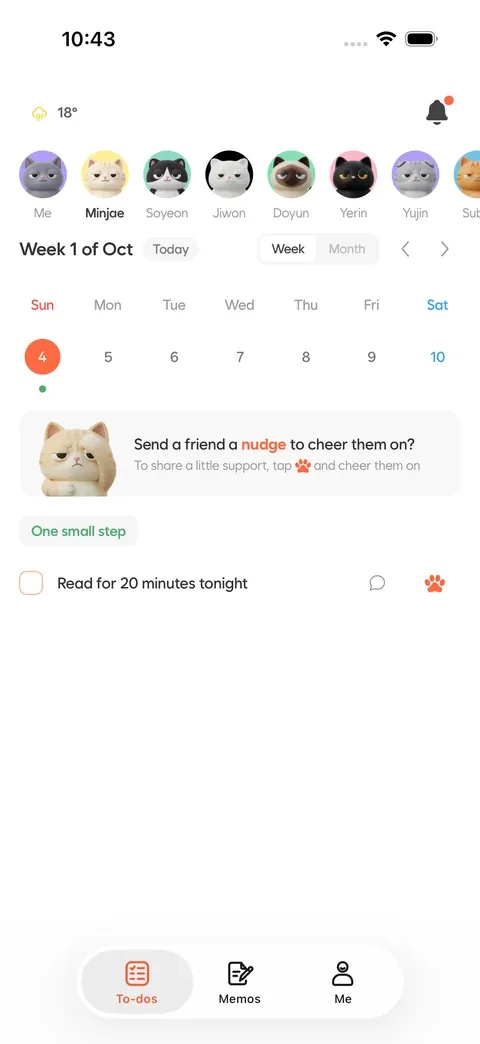
You’ve got this!

Send a nudge, leave a comment, and give each other a little boost.
Plan with recurring tasks, calendars, and timely reminders.
Turn notes and everyday language into actionable to-dos with AI.
Share your to-dos and encourage your friends. Calendars and AI planning help you along the way.
Plan with Friends
Find friends by name or their unique hashtag. See the to-dos they share and cheer them on with nudges and comments.
When you finish a to-do, thank the friends who encouraged you. You choose the visibility of each to-do.
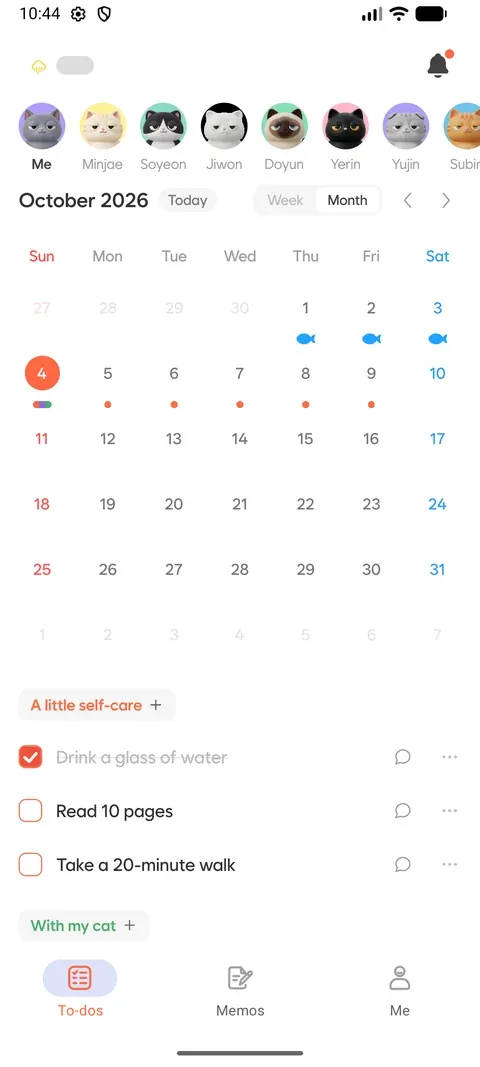
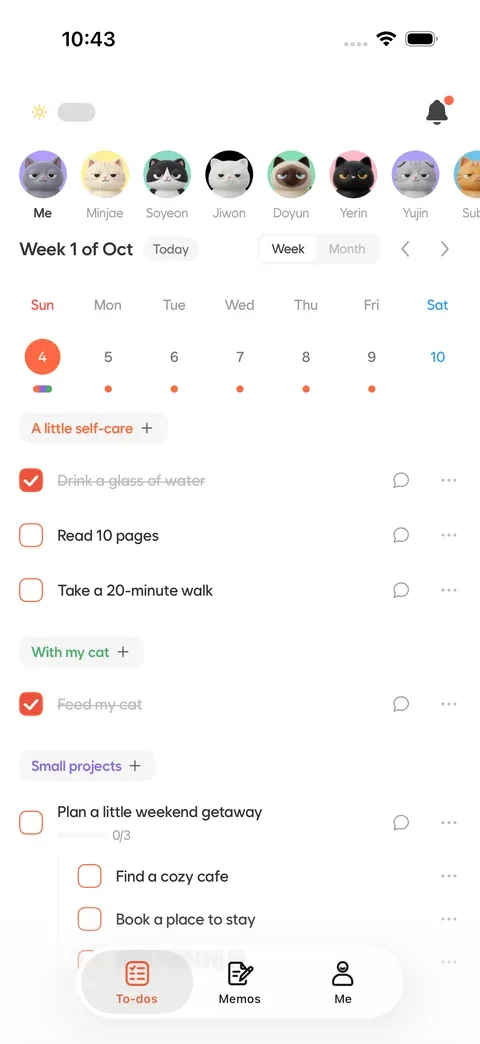
Weekly & Monthly Calendars
See your day and upcoming plans at a glance. Recurring tasks and reminders help you keep a steady rhythm.
Check today’s tasks and completion progress from an iOS or Android home screen widget.
AI Task Planning
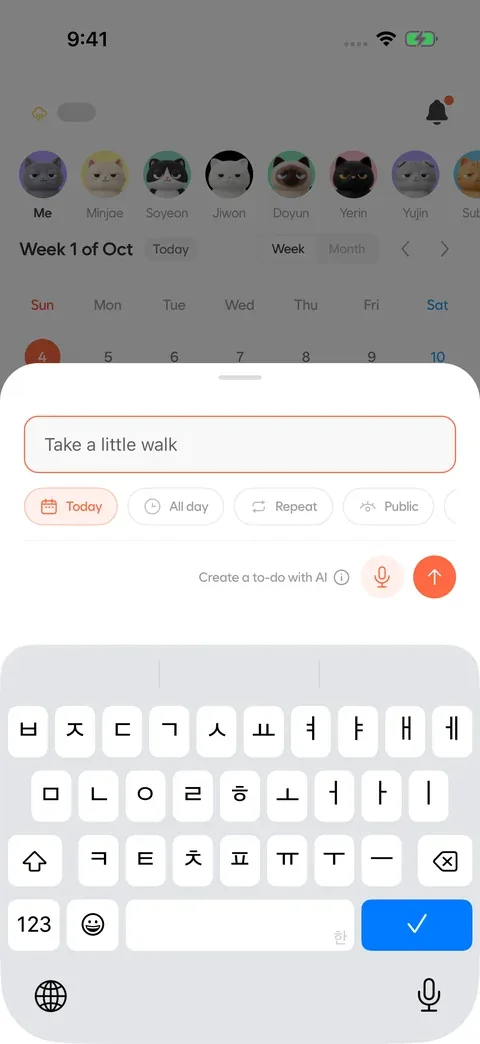
Jot down a note and let AI turn it into multiple to-dos. Add tasks in everyday language or with voice input, too.
Set the date, time, repetition, and category to fit your day.
AI Reports & Recurring Suggestions
Premium
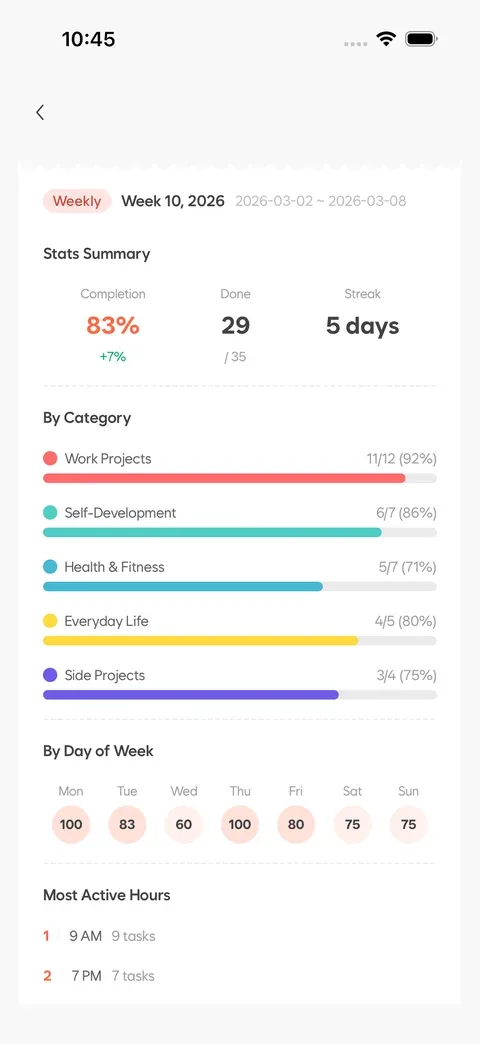
Reflect on completion rates and patterns with weekly and monthly AI reports. AI suggests recurring tasks; accept the ones that fit your routine.
AI reports and recurring suggestions are included with Premium.
Connect with friends and share your plans. Learn how recurring to-dos and AI planning can help, too.
Connect with friends and share the to-dos you choose. Learn how to send nudges and leave comments.
Read the guideSet repeat days and check your calendar. See today’s to-dos from your home screen, too.
Read the guideTurn notes into to-dos or add them by voice. Review the AI results before adding them to your plans.
Read the guideMake your profile yours
Choose from nine cats to make your profile feel like you. With Premium, you can also choose your favorite for your app icon.









Get to know Aido before your first small step.
Find friends by name or hashtag and see the to-dos they choose to share. Send a nudge or leave a comment to cheer them on. When you finish a to-do, thank the friends who encouraged you.
Yes, you can start for free with task management, calendars, and friend features. Some features, including AI task planning, have usage limits. Premium adds AI reports, recurring suggestions, custom cat icons, and higher limits. Check the app for current subscription prices and details.
Enter tasks in everyday language or use voice input. Memo AI can turn a note into multiple actionable to-dos. Review the results and adjust them to fit your plans.
Yes. Choose daily, weekdays, weekends or specific days, then set a start and end date. See your plans in weekly and monthly calendars. AI recurring suggestions are a Premium feature.
Absolutely. You can plan on your own with notes, tasks, and calendars. When you want some company, find a friend and encourage each other with nudges and comments.
You choose the visibility of each task. Friends can see tasks you make public; private tasks are not shared. Check the visibility setting when creating or editing a task.
Download the iOS app from the App Store or the Android app from Google Play. Both the app and this website support English and Korean. Home screen widgets are available on iOS and Android, too.
Share your plans, encourage each other and work through today’s to-dos.
Start free. Some features require Premium.